

HP DesignJet T1600 Plotter and
T2600 MFP Series Plus Edition
The First HP DesignJet MFP That Connects Paper Drawings to Cloud Workflows with End-to-End Productivity
HP DesignJet T1600
Plus Edition
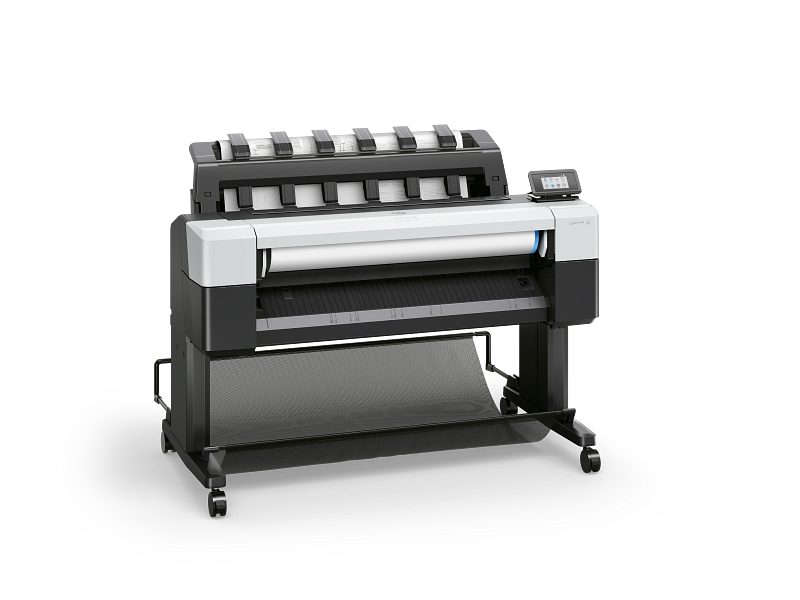
Simplify Printing
The easiest printing experience in a compact, quiet design
Maximize Productivity
Fast printing and the most advanced print stacking
Trusted Protection
World-class printer protection with HP Wolf Pro Security
HP DesignJet T2600 MFP
Plus Edition | Build Connect
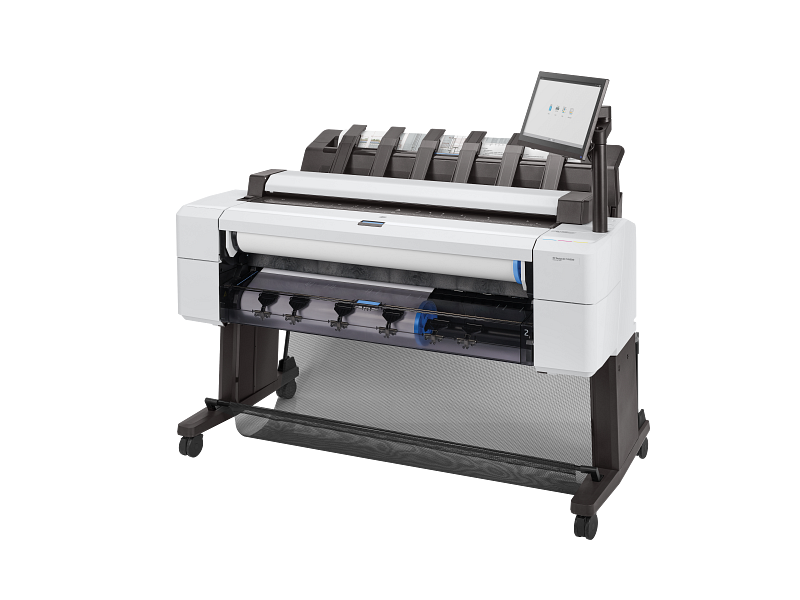
Connected Workflows
Integrated scanned with HP Build Workspace
Maximize Productivity
Fast printing and the most advanced print stacking
Trusted Protection
World-class printer protection with HP Wolf Pro Security

Where this range fits best

Architecture studios
Scan paper drawings directly from the front panel into the HP Build Workspace cloud workflow, creating a single, smart, shareable version.

Engineering teams
Produce detailed CAD files, technical drawings, revisions and marked-up documentation with the speed needed for active project work.

Construction companies
Keep teams aligned between site and office with large-format plans, scan workflows, cloud-connected drawing control and version checks.

From Paper Drawings to Cloud Workflows

Bridge paper and digital with the integrated scanner—your direct link to HP Build Workspace. Scan drawings to the cloud, collaborate on the latest version, and stay aligned with QR-linked version control. Keep your entire team working from one smart, shareable source they can trust.
And because it’s connected to the platform, the HP DesignJet T2600 MFP Plus Edition | Build Connected keeps evolving. Every HP Build Workspace update is a printer upgrade—extending the value of your MFP over time.


Connected Workflows
With HP DesignJet T2600 MFP Series Plus Edition | Build Connected, you can scan paper drawings directly from the front panel into the HP Build Workspace platform.
Get one year of HP Build Workspace access, including 20 vectorization tokens per month, with any HP DesignJet T2600 MFP Plus Edition | Build Connected.
Connect Paper to Cloud
Scan paper drawings directly from the front panel into the HP Build Workspace cloud workflow, creating a single, smart and shareable version.
Always on the Latest Version
Keep teams working from the latest drawing. A printed QR code confirms paper plans match the latest available version.
Turn Scans into CAD-Ready Files
Save up to 80% of drafting time and improve your workflow with AI-enabled, integrated scan-to-vectorisation capability.
Choose the HP DesignJet model that matches your workflow
The T1600 series is ideal for high-performance print-only workflows. The T2600 MFP series adds integrated scanning and connected paper-to-cloud functionality for teams that need to manage both physical and digital drawings.

HP DesignJet T1600 (3EK11D)
36-in PostScript Printer Plus Edition

HP DesignJet 1600dr (3EK13D)
36-in PostScript Printer Plus Edition

HP Designjet T2600 (3XB77D)
36-in Multifunction Printer Plus Edition
HP Designjet T2600dr (3EK15D)
36-in PostScript Multifunction Printer Plus Edition
HP DesignJet Solutions
From security to specially designed tools, the following solutions were created to help you get the most out of your HP DesignJet plotters and printers.

HP Click Print Solutions
Radically simplify printing with these easy-to-use job-submittal tools. Print in fewer steps and avoid reprints with real-print preview and automatic error detection.

HP Large-Format Print Security
Protect your plotter printer and data from cyberthreats without any effort, thanks to HP Wolf Pro Security.

HP AI Vectorization
Reduce drafting time by up to 80% with AI-powered vectorisation. Simply scan paper plans using an HP DesignJet multifunction printer and convert them into editable CAD files in one click.

HP Large-Format Print Security
HP Build Workspace is the cloud platform that helps construction teams keep digital drawings and printed plans in sync—keeping field plans aligned with the latest drawing.
Not sure which HP DesignJet model is right for your team?
Tell us how your team prints, scans and manages drawings. Global Office Machines can help recommend the right HP DesignJet T1600 or T2600 configuration for your workspace, project volume and support needs.