The best printer will always be the printer that fits your budget and suits your needs. But with the increasing amount of new printer models being released into the market, it makes choosing more difficult for consumers. You have so many to consider aside from budget and brand preference – you need to take into account your printing needs and the capabilities offered by a specific printer. Your quest to choose the best printer is something that is worth putting reasonable effort into to make sure you maximise your office overheads in the long run.
Choosing the best printer either for personal and business use or at-home and in-office doesn’t have to be expensive. Any brand of printer you choose may work adequately, but it depends on how you take care of it and if you use it appropriately. When choosing printers you must focus first on the features to see if they fit your budget and needs. After you identify potential models for purchase, it is advisable to check the ink or toner prices for each in order to minimise running costs later on. This is one factor that a lot of consumers fail to account for when they determine which printer to buy. The focus tends to be on the actual cost of the printer rather than the long-term maintenance costs.
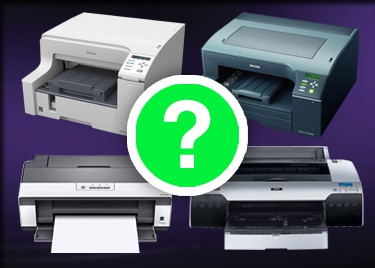
The cheapest printer or plotter may not be the most best value machine long term. Do not get too caught up with the pricing that you fail to consider the quality too. There should be a reasonable balance between pricing and performance and you should not sacrifice one for the other. When buying one of the more expensive wide format machines, a refurbished printer may be a good option, but first ensure it is of good quality and condition and under a warranty to account for any issues.
In order to buy the best printer for the demands of your workload, you need to estimate the amount of usage and volume of printing in advance. Some relevant questions that you might consider are”: “Are you the only one to use it?” “How much is your expected output?” “Will other people or co-workers also use the machine?” “What is the volume of printing required per day?” It is important to weigh up your requirements. If you need buying advice from experts such as GOM, then the answers to these questions will enable the customer representative to provide you with a selection of suitable machines to consider.
The need for speed and performance of the printer is to be considered also. If possible, you should know the appropriate engine speed, memory of the printer and processing power. As a guideline, a printer that can print less than 20 pages in a minute is slow. Most office find that 20-40 pages in a minute is adequate, but for higher print volume operations, a printer that can print 40 pages per minute or above is a better choice. If you have no idea how to determine this when buying, you can always ask the sales advisor to provide you this information. This knowledge will also be crucial for your use and maintenance later on. You want to use the printer according to its capacity; if not, then it could easily get damaged when it is over-worked.
Not to be forgotten is the warranty. You must ask for warranty and the availability of parts just in case the unit becomes defective in the future. Also, don’t hesitate to ask if there are available Printer Services Sydney within your area to avoid a hassle. Remember, if you are planning to purchase a printer, the best printer is the printer that will fit your need and requirements!
Need Your Printer Repaired?
Here at Global Office Machines, our technicians are the industry leaders, offering Sydney wide onsite photocopier repairs, service and maintenance.
If your faulty photocopier is putting your business operations on standstill, then call our qualified technicians to have your photocopier repaired today.
Global Office Machines technicians boast a 98% first visit success rate – you can be sure that they will have your photocopier back up and running with minimal disruptions to your business.
GOM’s mobile service vans are well-stocked with the most commonly-needed parts and diagnostic equipment. Because we also maintain printer service centres in and around Sydney, even the rarest of parts is just a short delivery away.